Identity & Access Visibility for Modern Enterprises
Koshalta is a visibility and governance layer that unifies identity and access data across Azure AD, Google Cloud IAM, SaaS, and internal systems.
It answers in real time: who has access to what, who actually used it, why they have it, and whether that risk is justified. Today it delivers a unified access map, real-time access awareness, explainable entitlements (graph-based), and risk identification (overprivileged and zombie accounts). The roadmap adds enterprise dashboards, controlled enforcement with approval workflows, a unified semantic layer, and an intelligent translation layer for new identity providers.
Identity is now the primary attack surface.
As organizations adopt multi-cloud infrastructure, AI platforms, SaaS tools, and automated provisioning, access sprawl becomes inevitable. What remains rare is clear, unified visibility.
Koshalta provides a single operational and governance layer that answers, in real time:
Who has access to what?
Who actually used it?
Why do they have it?
Is that risk justified?
The Executive Problem
Most enterprises today operate across:
- Azure AD / Entra ID
- Google Cloud IAM
- Multiple SaaS platforms
- Internal systems
- AI tools with API-level permissions
Each system provides its own dashboard and logs. None provide unified governance.
As a result:
- Access is granted through layered inheritance (roles, groups, policies)
- Overprivileged users accumulate silently
- Dormant accounts remain authorized
- Audit preparation becomes manual and reactive
- Policy drift goes unnoticed
- Incident investigations require cross-system reconstruction
Koshalta closes that visibility gap.
What Koshalta Delivers Today
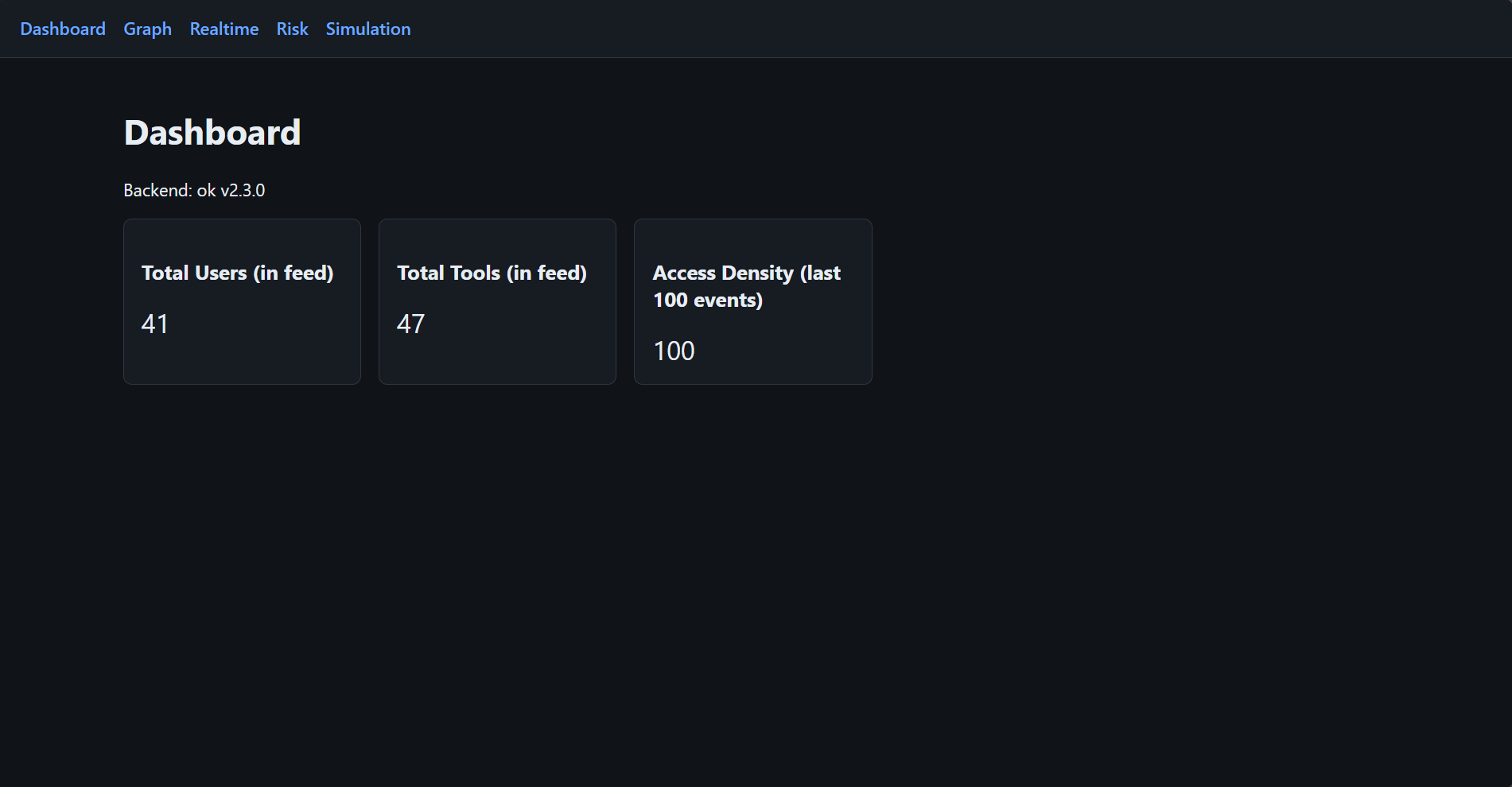
1. Unified Identity & Access Map
Koshalta consolidates identity data and access logs across providers into a single operational view.
Security leadership can instantly assess:
- Active access by user or system
- Last usage timestamps
- Sensitive tool exposure
- Department-level access posture
- Inactive but authorized accounts
This transforms identity from a fragmented control plane into a measurable governance domain.
2. Real-Time Access Awareness
Koshalta ingests and normalizes access events across identity providers into a unified event model.
Executives gain:
- Live access feed
- Last-access lookup by user or resource
- Department-filtered activity streams
- Sensitivity-aware access monitoring
This enables proactive oversight rather than post-incident reconstruction.
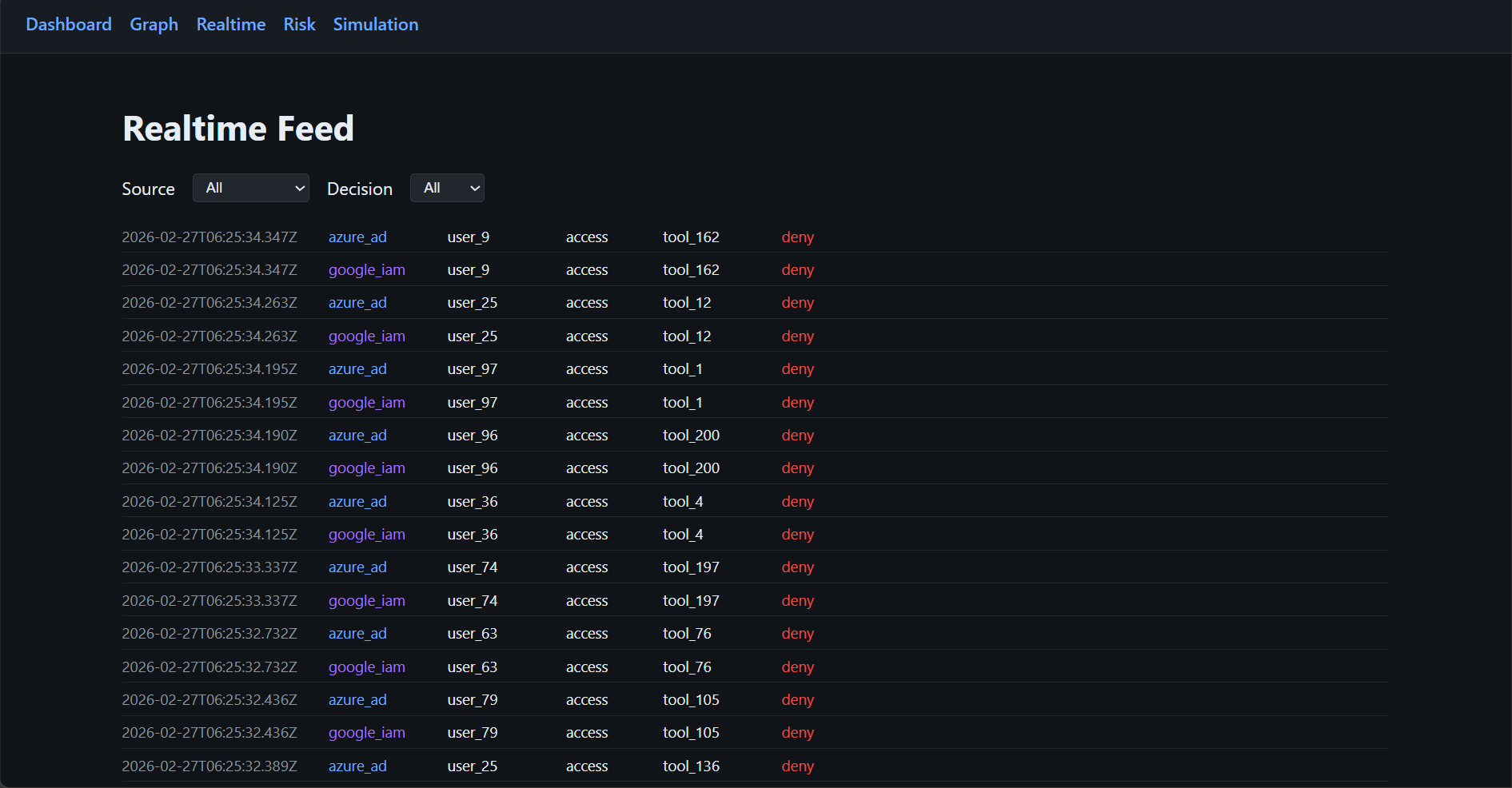
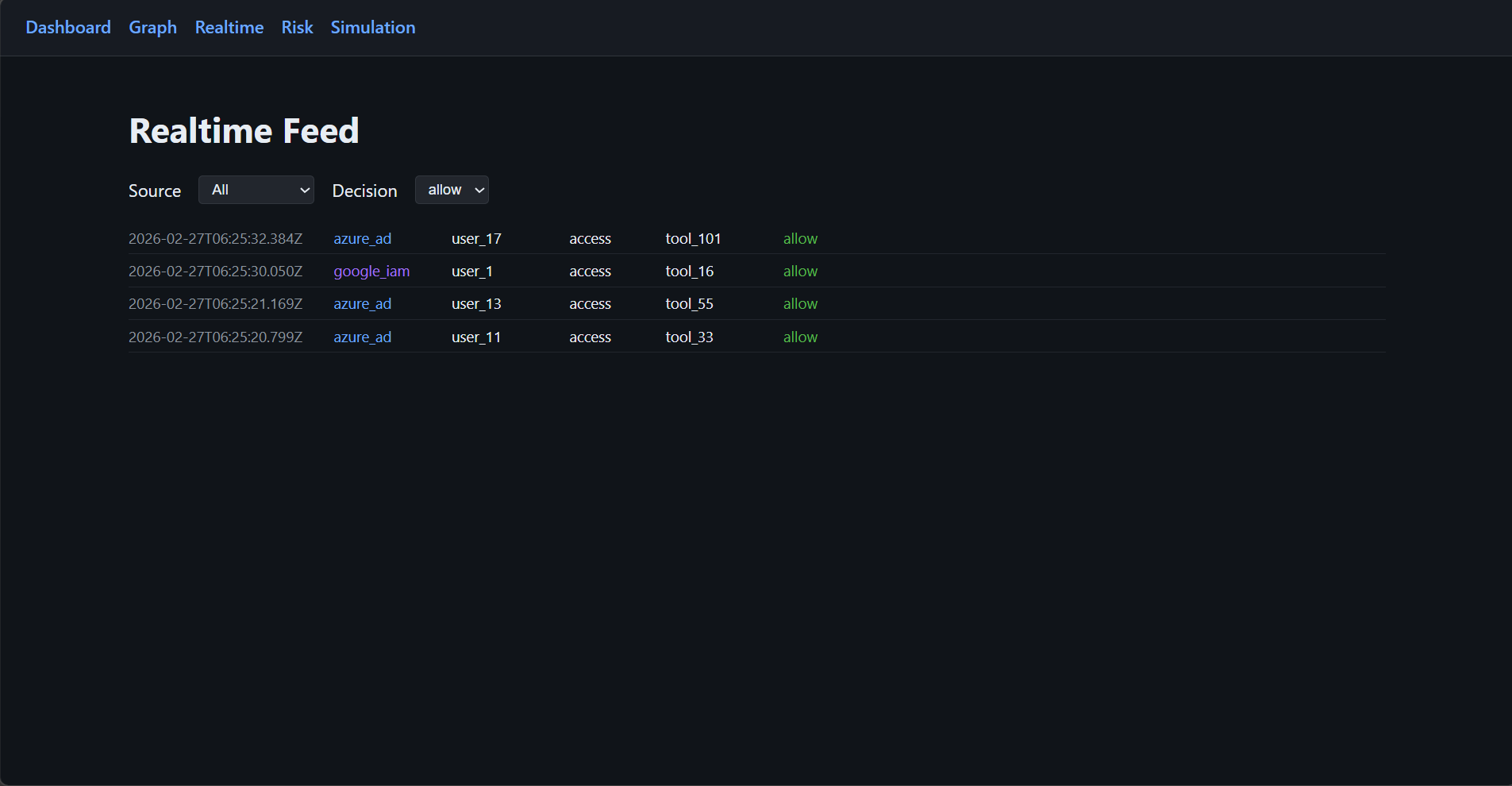
Filter by source (e.g. azure_ad, google_iam) and decision (allow/deny) to focus on specific streams.
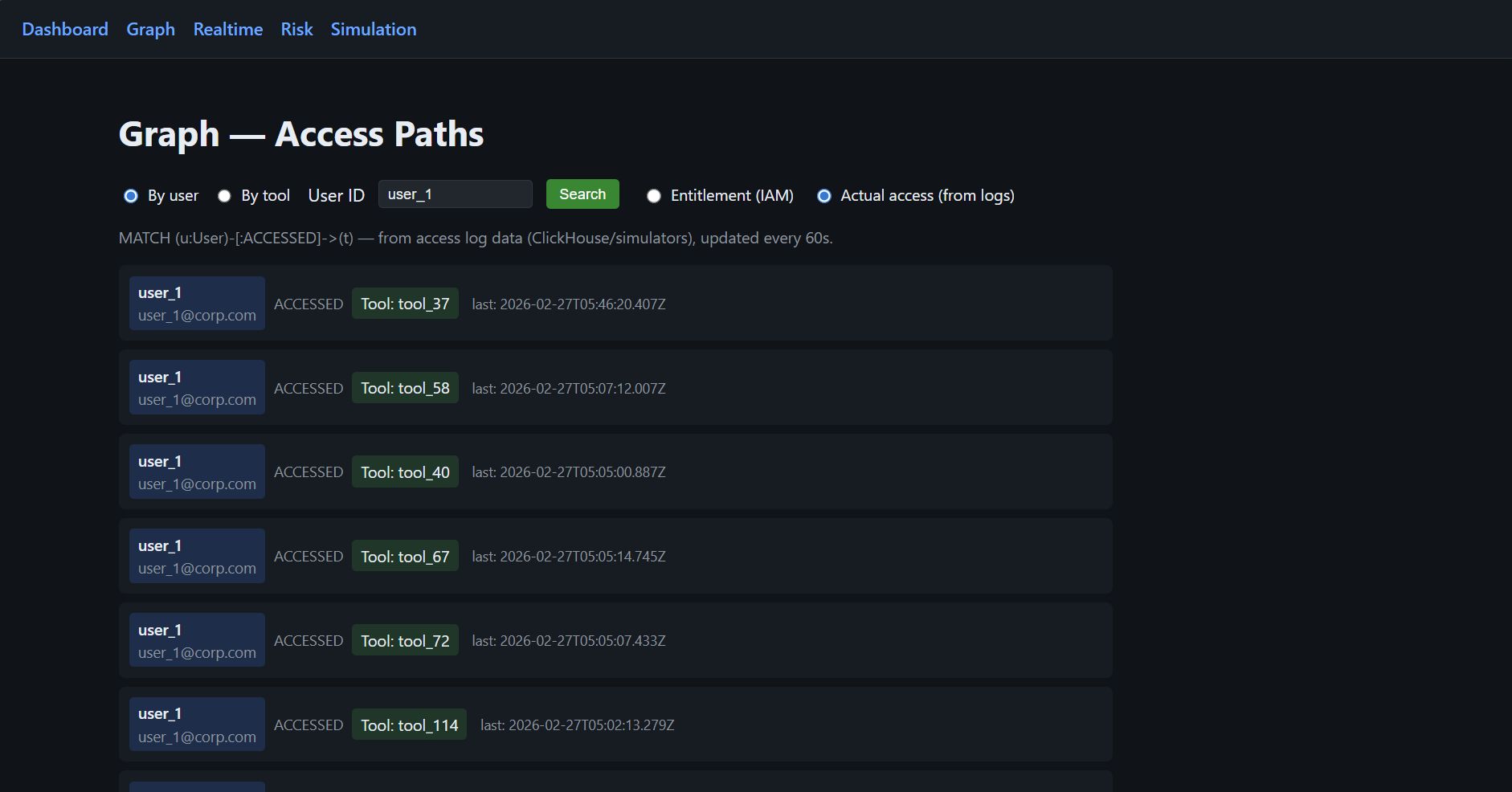
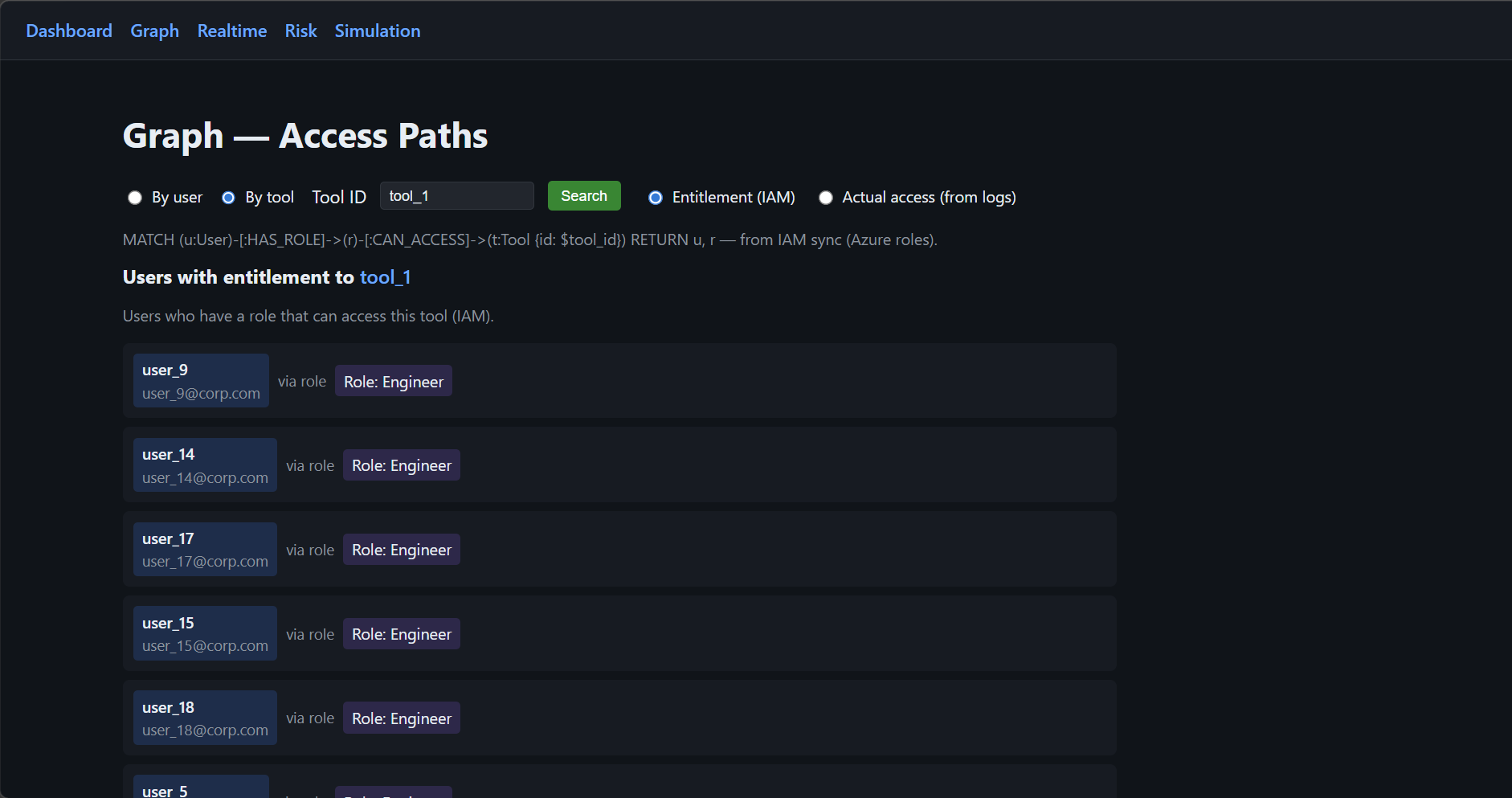
3. Explainable Entitlements
Koshalta projects IAM entitlements into a graph model, allowing teams to see:
- Why a user has access
- Through which role or inheritance chain
- Which policy governs that access
This explainability is critical for:
- Regulatory defense
- Audit preparation
- Internal governance committees
- Board-level reporting
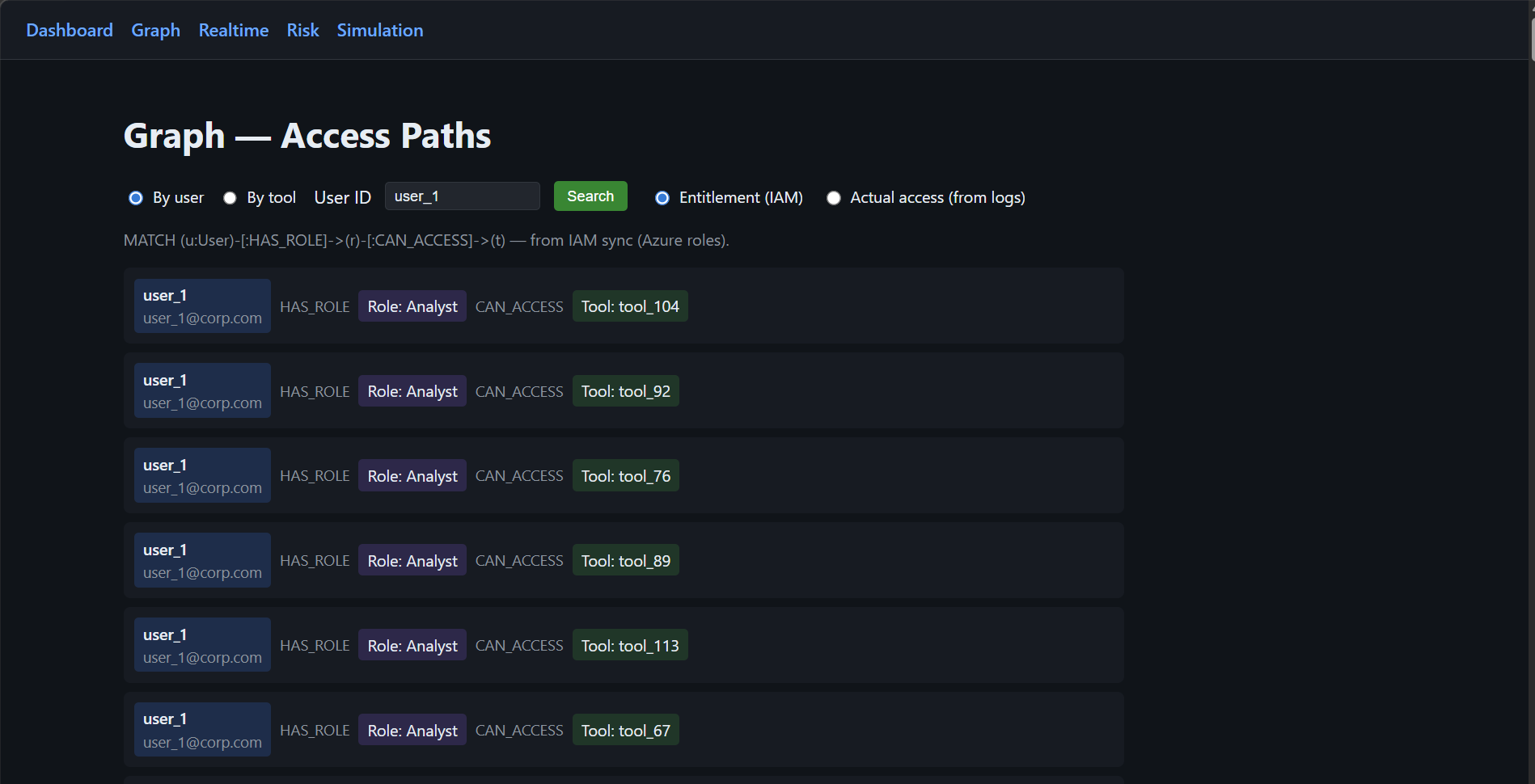
Search by User ID to see why they have access and which role grants it.
4. Risk Surface Identification
Koshalta highlights structural identity risks:
- Overprivileged users
- Zombie accounts (no access activity within defined windows)
- High-sensitivity resources with broad exposure
- Policy inconsistencies across platforms
This shifts identity from static compliance posture to dynamic risk management.
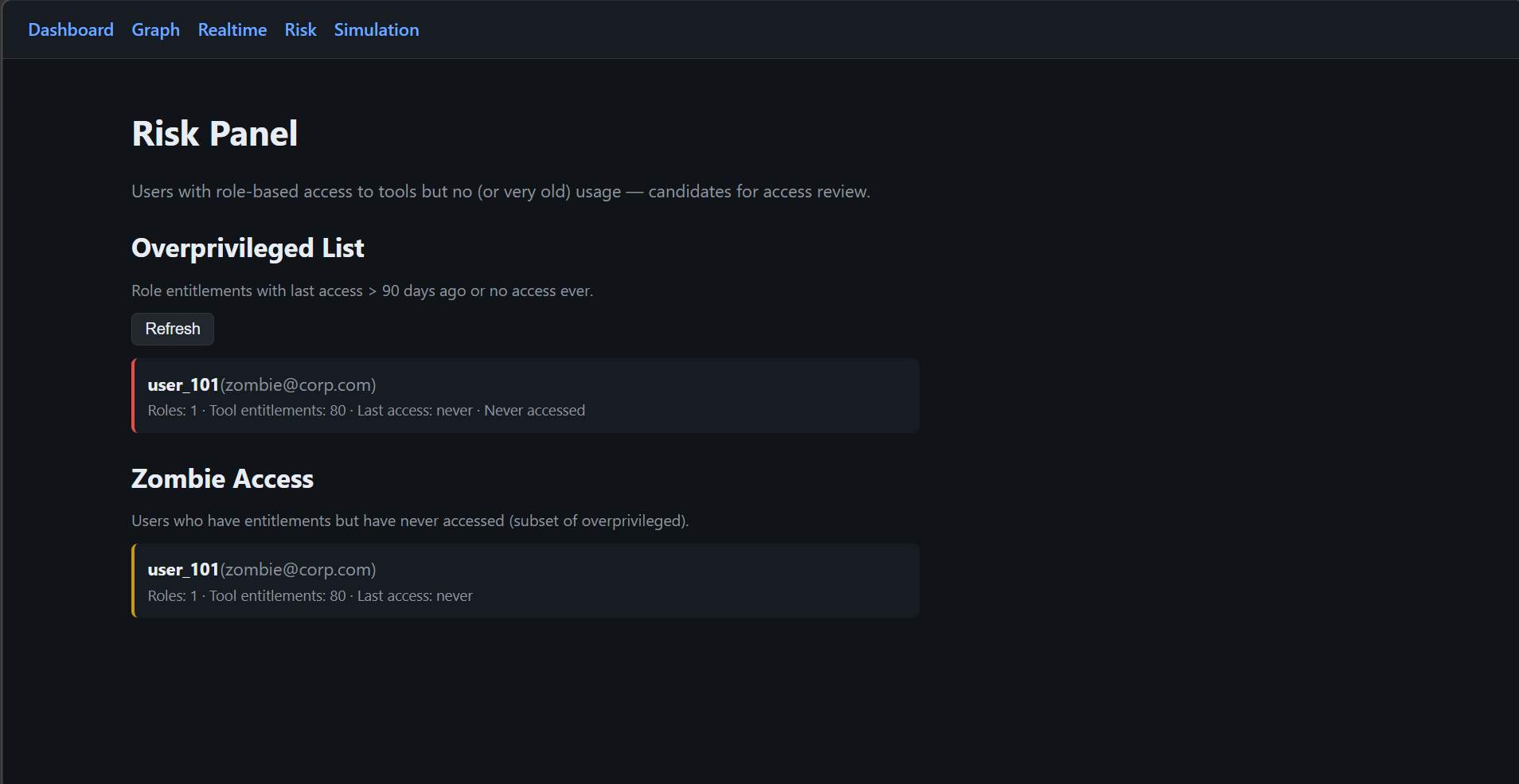
Candidates for access review and remediation workflows.
5. Simulation control & source-of-truth details
This is where you run the simulation and view the required details about it: simulation status (running/stopped), identity-sim-core health, and the full configuration of the sources of truth — Azure AD (users, roles, policies) and Google IAM (projects, tool IDs, IAM bindings).
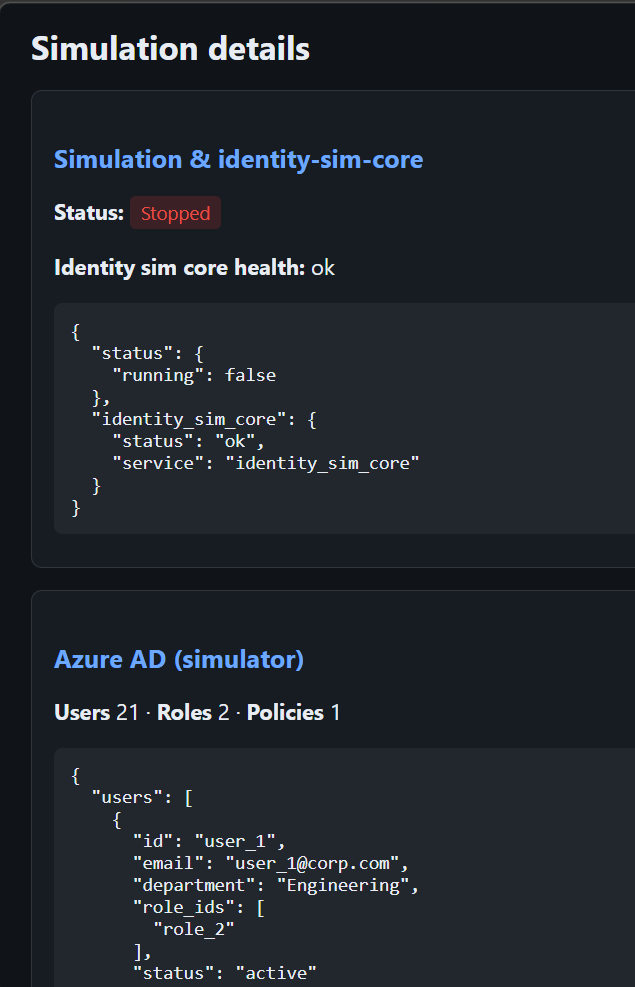
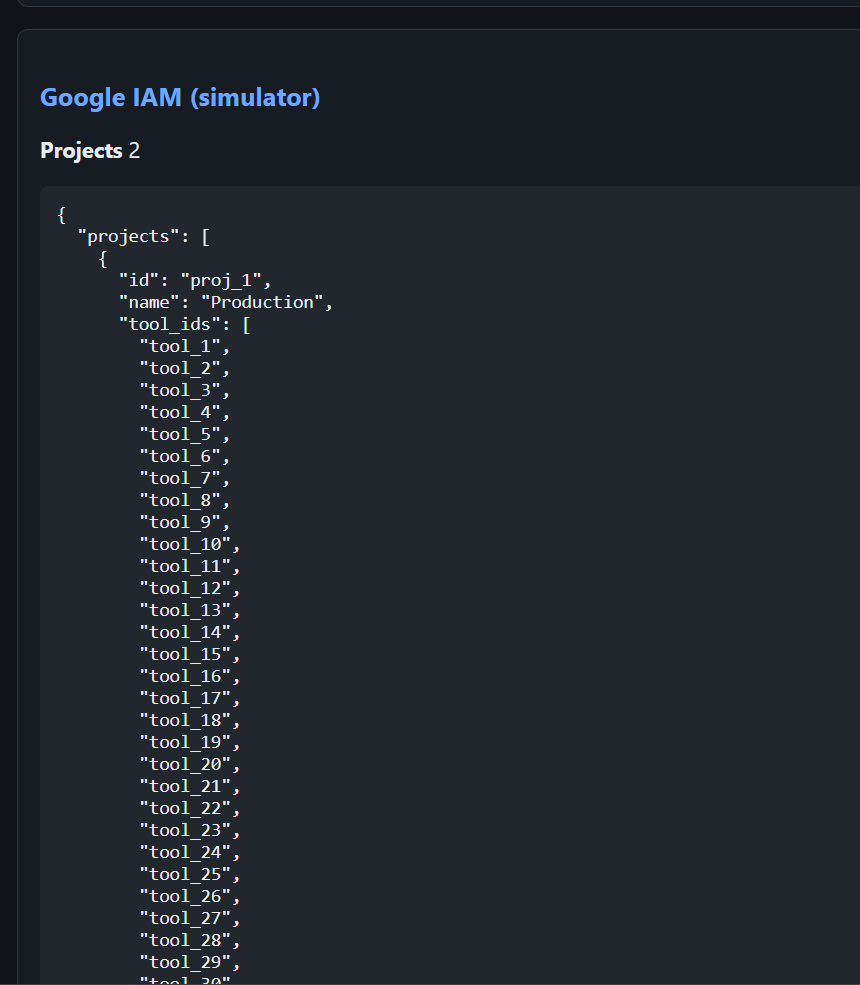
tool_ids (which tools belong to the project). IAM bindings define which users can access those tools — the source of truth for allow/deny in the simulation.Why This Matters for Each Executive Function
For CISOs
- Reduces lateral movement risk
- Identifies dormant privilege before exploitation
- Accelerates incident response
- Strengthens Zero Trust posture
- Provides measurable identity attack surface metrics
For CIOs
- Unifies multi-cloud identity visibility
- Minimizes integration disruption
- Avoids vendor lock-in through abstraction
- Supports scalable identity governance as tool footprint grows
For Compliance Heads
- Produces audit-ready reporting
- Demonstrates entitlement-to-usage justification
- Provides traceable remediation workflows
- Improves defensibility during regulatory review
For Enterprise Architecture Teams
- Introduces a canonical identity model
- Abstracts provider-specific schemas
- Enables consistent vocabulary across platforms
- Supports future onboarding of additional IAM systems
Strategic Roadmap
Koshalta evolves in structured phases:
Phase 1 — Enterprise Visibility
Deliver intuitive dashboards that answer:
- Who has access to high-sensitivity systems?
- Who hasn't used their access in 90 days?
- Where are identity risks concentrated?
Includes:
- Department and role segmentation
- Sensitivity tagging
- Exportable compliance views
- Threshold-based alerts
Phase 2 — Controlled Enforcement
Transition from visibility to governance:
- Automated identification of stale access
- Approval-based remediation workflows
- MFA and conditional policy recommendations
- Controlled write-back to identity providers
- Full audit trail of changes
All enforcement is reversible and logged.
Phase 3 — Unified Semantic Layer
Koshalta introduces a standardized enterprise vocabulary:
Instead of provider-specific terminology, stakeholders see:
- Sensitive Resource
- Owner
- Last Active
- Risk Level
- Justified Access
This ensures consistency in reporting, policy creation, and governance discussions.
Phase 4 — Intelligent Translation Layer
Koshalta normalizes heterogeneous IAM schemas into a canonical model.
Benefits:
- Seamless onboarding of new identity providers
- Schema version control
- Field-level lineage tracking
- Long-term platform independence
This architecture protects against vendor dependency and API volatility.
Measurable Outcomes
Koshalta targets:
- Near real-time visibility (≤ 5 seconds ingestion latency)
- Sub-100ms access lookup
- Fast entitlement explanation queries
- Lightweight infrastructure footprint
- Secure internal deployment architecture
Strategic Positioning
As AI systems, automation tools, and multi-cloud environments expand, identity becomes the new perimeter.
Traditional IAM systems enforce access.
Koshalta ensures that access is visible, explainable, and governed.
This distinction is critical.
Koshalta is not another identity provider.
It is the enterprise visibility and governance layer across identity providers.
Closing Statement
Identity risk is rarely caused by a single policy failure.
It is caused by accumulated visibility gaps.
Koshalta eliminates those gaps — systematically, measurably, and defensibly.